Five Outstanding Photo Editing Apps for November 2023!
 |
| by Jye B |
Whether you're someone who enjoys taking photos on your smartphone or a professional photographer looking to enhance your work, photo editing software offers endless opportunities to make your pictures stand out. In this article, we'll explore some of the best photo editing apps we've thoroughly reviewed, each designed to help you make the most of your photos.
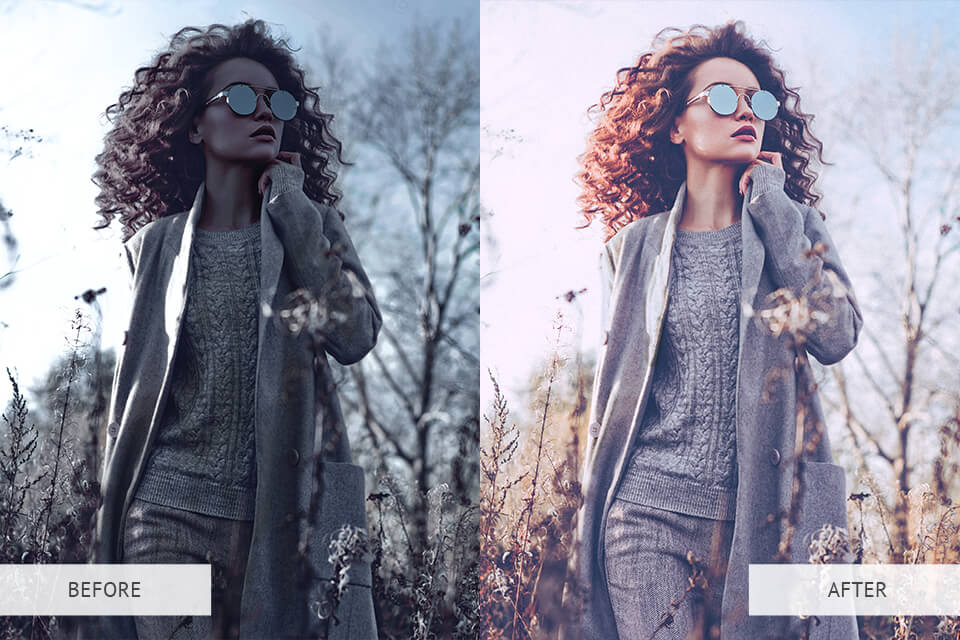
Photo editing can transform your pictures from ordinary to extraordinary, as demonstrated in the image below. It's an essential tool to enhance and refine your photos, ensuring they look their best, whether for personal memories or professional projects.
 |
| by www.travelanddestinations.com |
Do you see how much of a difference photo editing can make and understand how important it is? If you're looking to improve your own projects or just curious about photo editing, we're about to show you the five best photo editing apps that can help you create amazing results. We will be covering the following topics for each of the 5 softwares: - Introduction - Compatibility
- Overall Rating
- Pros and Cons
- Prices
1. Adobe Photoshop
 |
| by edu.gcfglobal.org |
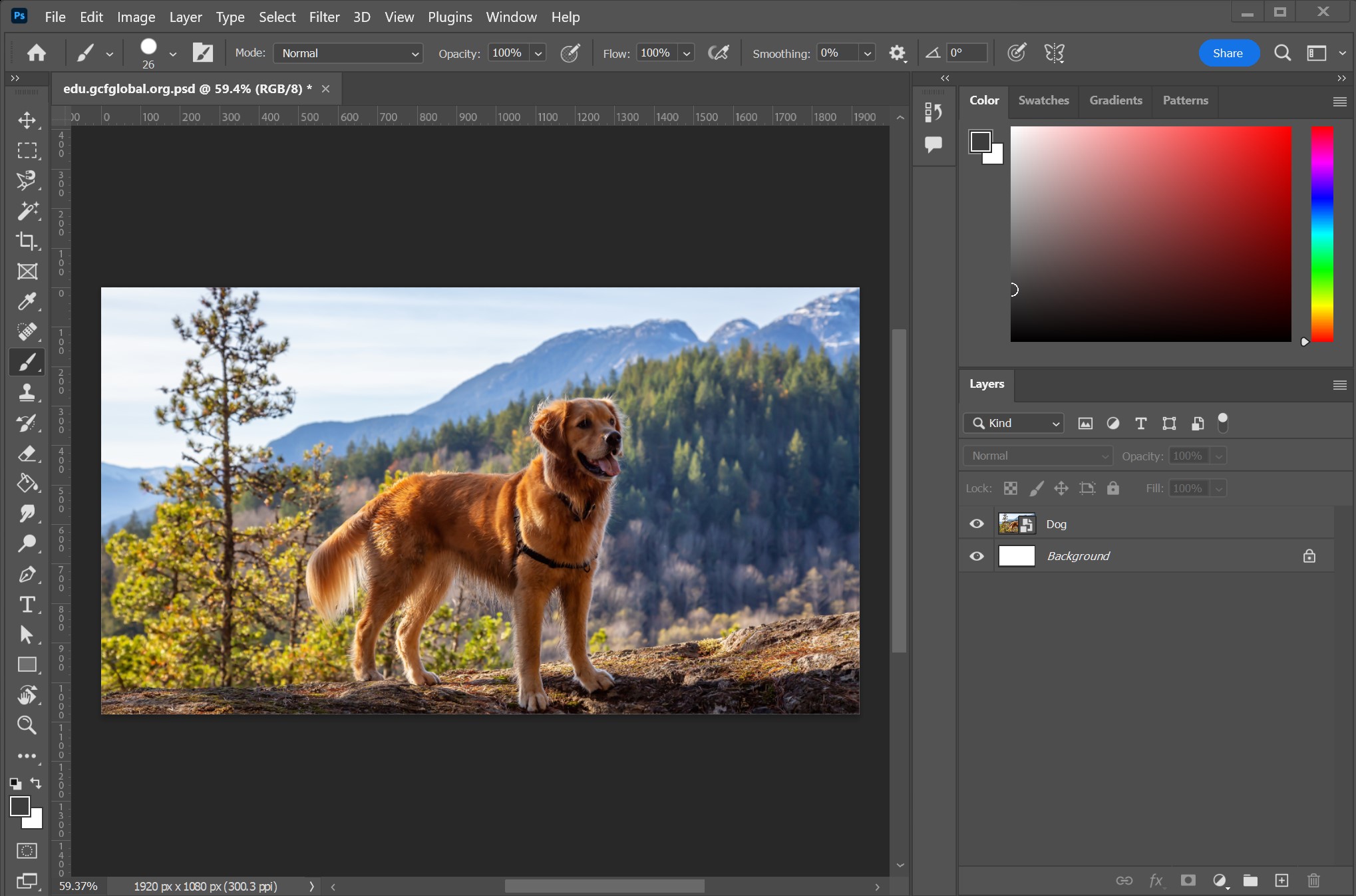
Photoshop is a crucial image editing tool for a wide range of users, including photographers, designers, and artists. It provides precise control and an array of creative options, allowing you to transform your concepts into captivating visuals. With compatibility for various file types, Photoshop proves invaluable for diverse digital projects, from enhancing photos to crafting intricate designs.
Compatibility: Windows 10 or later (64 bit), macOS Big Sur (11.0) or later
Click here for more details.
Supported File Formats: JPG, PNG, GIF, PSD...
Click here to view all supported file formats.
Pros:
- Photoshop offers a wide range of editing tools, from basic adjustments to advanced features like layers, masks, and blending modes, providing significant control over image editing.
- Adobe Photoshop boasts an autosave feature for crash recovery, safeguarding your unsaved work in case of unexpected interruptions.
- Photoshop's photo stock library provides high-quality images, simplifying your creative process and broadening design choices.
- It's AI technology enhances workflows with features like content-aware fill, automatic selections, and more.
Cons:
- The interface can be overwhelming for beginners. The multitude of tools and panels can make it challenging to find what you need, especially when starting out.
- Photoshop can be demanding on your computer, so it's recommended to use a PC with enough memory and processing ability to work well. This can be a problem for people with older or less powerful computers.
Overall Rating: 4.8/5
Average rating from multiple sources.
2. Cyberlink Photodirector
 |
| image by www.digitaltrends.com |
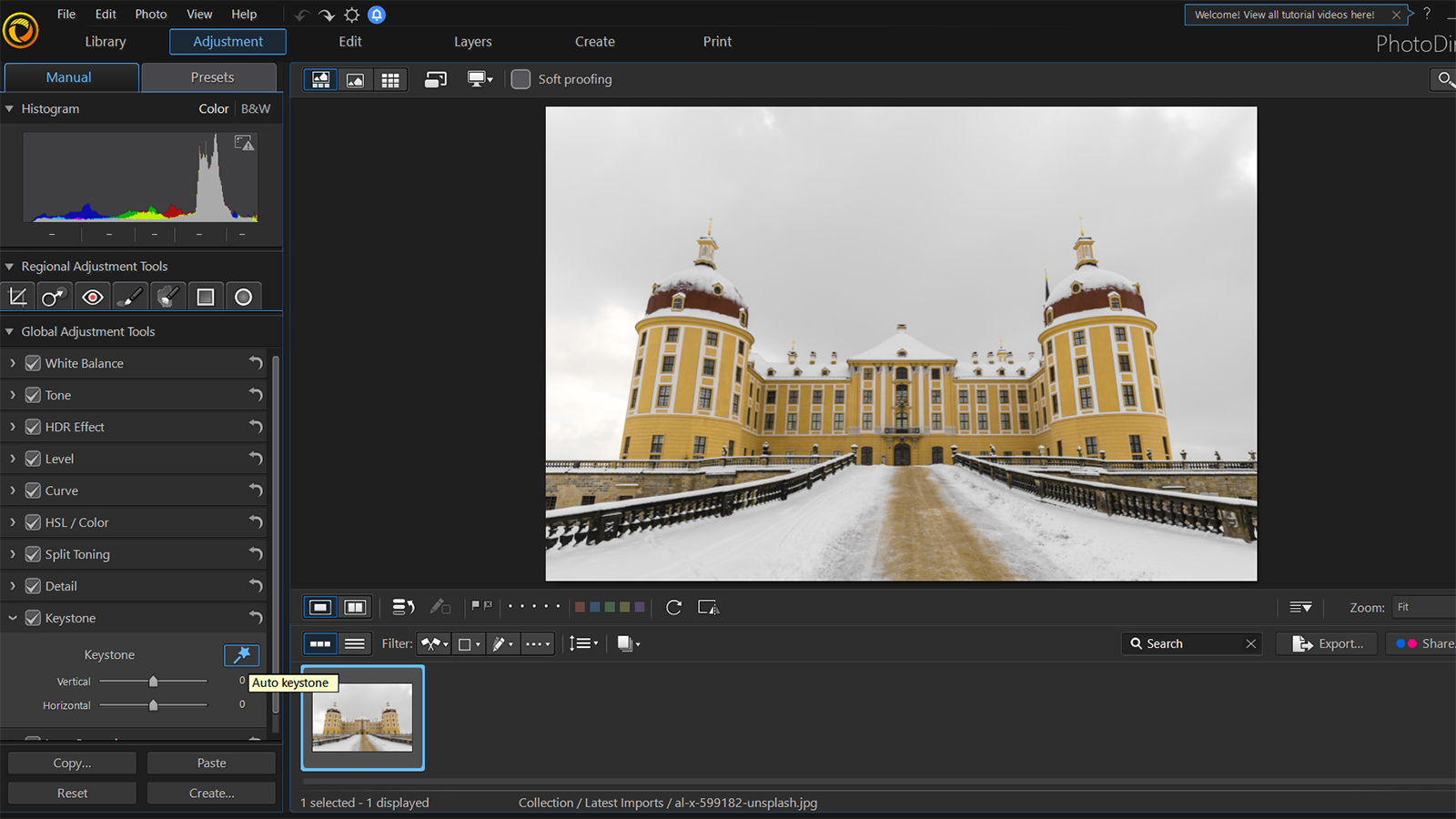
CyberLink PhotoDirector is a free photo editing and management software suitable for photography enthusiasts, amateurs, professionals, and content creators. With a user-friendly interface, it supports various image and video formats, including RAW files, and offers creative tools for enhancing and organizing photos, making it a powerful all-in-one solution for photographers and visual content creators.
Compatibility: Windows 10 or later (64 bit), macOS 10.14 or later
Supported File Formats: JPEG, PNG, TIFF, PHI...
Click here to view all supported file formats
Pros:
- CyberLink PhotoDirector features an intuitive and user-friendly interface, making it accessible to both beginners and experienced users interested in photo editing and management.
- PhotoDirector supports simple 360-degree photo editing, allowing users to create impressive panoramic images.
- In addition to photo editing, it provides basic video editing capabilities, helping users improve their multimedia projects efficiently.
- Photodirector offers an autosave feature which can ensure you do not lose anything incase of a sudden crash.
Cons:
- The free version of CyberLink PhotoDirector has limitations, such as watermarked exports and restricted access to advanced features.
- While CyberLink PhotoDirector is user-friendly, it may not fully satisfy professionals seeking advanced capabilities for in-depth photo editing.
Overall Rating: 4.2/5
Average rating from multiple sources.
3. Adobe Lightroom
 |
| www.popsci.com |
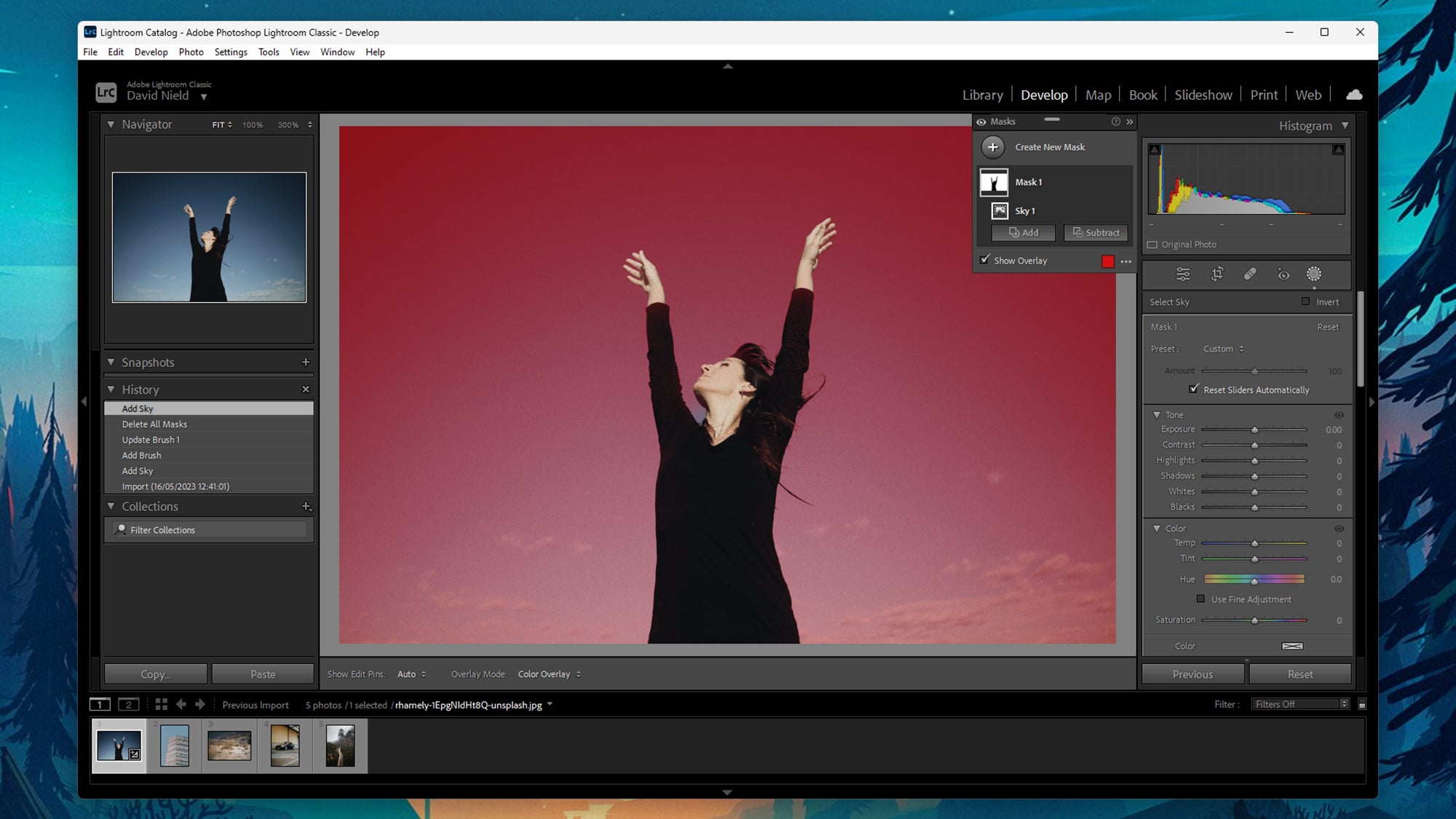
Adobe Lightroom is a powerful photo editing and organization software ideal for photographers and digital creatives. It supports numerous file formats, making it versatile for RAW and JPEG files alike. Recommended for professionals, enthusiasts, and anyone seeking intuitive image enhancement tools.
Compatibility: Windows 10 or later, macOS Big Sur or later, Android, IOS.
Click here for more details.
Supported File Formats: JPEG, PNG, PSD, GIF...
Click here to view all supported file formats.
Pros:
- Lightroom offers a wide range of advanced photo editing tools, including exposure adjustments, color correction, and powerful retouching.
- Lightroom's non-destructive editing workflow ensures your original photos are preserved, allowing you to experiment with edits without harming the original image.
- It provides robust tools for effectively organizing and managing your photo collection, including metadata and categorized collections.
Cons:
- Lightroom may have a learning curve, particularly for beginners new to photo editing software.
- Lightroom is mainly for photo editing and lacks advanced graphic design features found in some other softwares.
Overall Rating: 4.6/5
Get Adobe Lightroom Here
Luminar AI is a perfect choice for newcomers to photo editing, offering user-friendly tools and extensive support for various file formats. It's ideal for quick and effortless photo enhancements. As your skills progress and if you find yourself needing more advanced features, you can always switch to Luminar Neo. This scalability ensures that you can continue to meet your evolving editing needs with ease.
4. Luminar AI
 |
| image by www.dpreview.com |
Compatibility: Windows 10 or later (64 bit), macOS 10.13 or later
Click here for more details.
Supported File Formats: JPEG, PNG, TIFF, PSD...
Click here to view all supported file formats
Pros:
- Luminar AI offers an intuitive and user-friendly interface, making it accessible to both beginners and experienced photographers. Its AI-powered features are designed to automate complex editing tasks.
- The AI features in Luminar AI, such as AI Sky Replacement, AI Skin Enhancer, and AI Structure, can help users quickly and easily enhance their photos with minimal manual adjustments.
- If you become really skilled with Luminar AI, you can switch to Luminar Neo for even better and advance features
Cons:
- Luminar AI is designed to simplify the editing process with AI-powered features, but this means it may lack some of the manual controls and precision.
- Unlike more advanced software like Luminar Neo, Luminar AI lacks the ability to work with layers, which can be a significant limitation for certain editing tasks.
Overall Rating: 4.2/5
5. Canva
 |
| image by Canva |
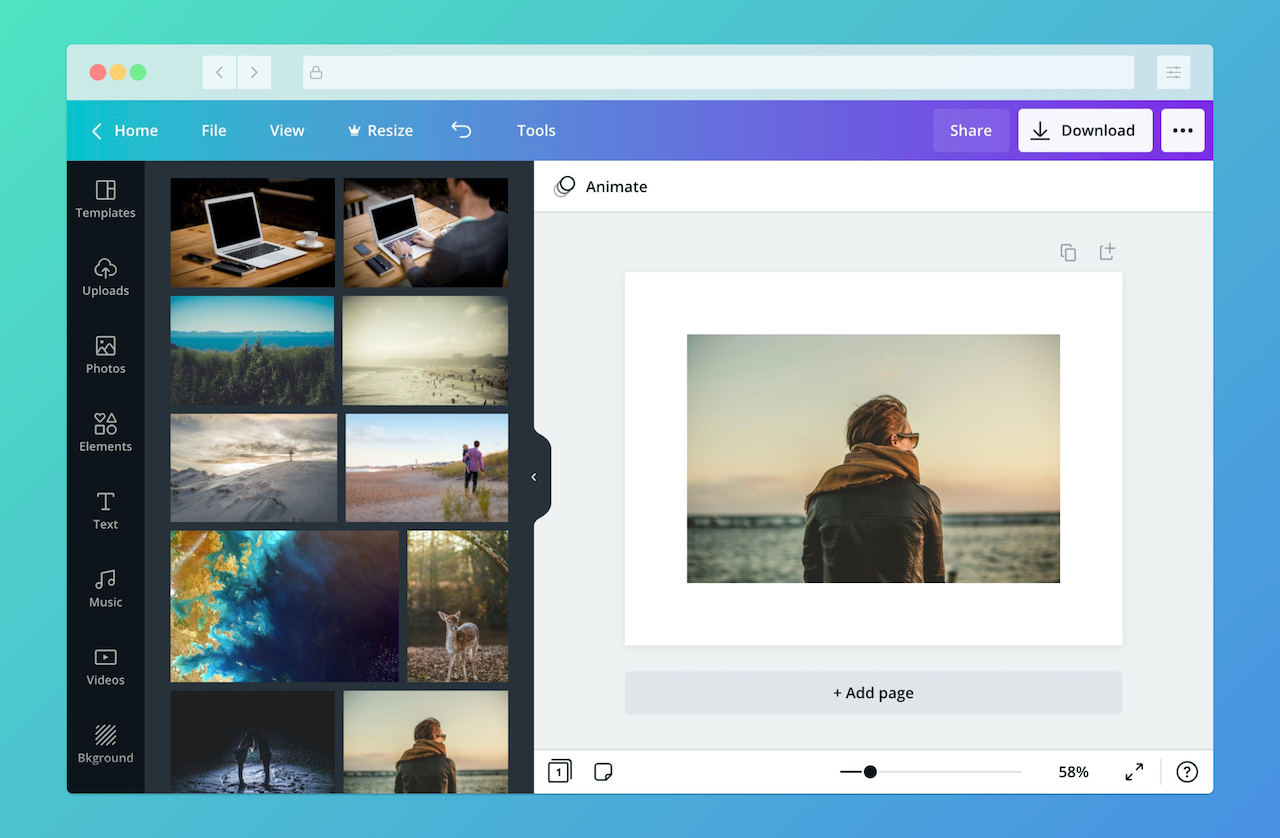
Canva is a user-friendly design tool that can be downloaded or used on its website, It can handle various file formats like JPEG, PNG, and PDF and is perfect for smaller projects. Its easy-to-use interface and a wide range of templates make it great for creating attractive designs without much hassle.
Compatibility: Windows 10 or later, macOS 10.14 or later
Click here for more details.
Supported File Formats: JPG, PNG, PDF...
Click here to view all supported file formats.
Pros:
- Canva stands out for its simple, user-friendly design. It welcomes users of all design backgrounds, making it accessible and very easy for every editor.
- Canva provides both free (without watermark) and paid versions, with the paid plans offering additional features. This makes it a budget-friendly option for individuals and businesses.
- Canva's web-based platform means you can access it directly through your browser, saving storage space on your device, making it convenient for users running low on storage
Cons:
- Canva lacks advance features found in other professional softwares, making it less suitable for complex designs and projects.
- Canva is cloud-based and requires an internet connection for access, which can be limiting in offline situations.
Overall Rating: 4.5/5
Comments
Post a Comment